
Download SphereXP – 3D desktop, window management, desktop organizer, productivity tool, innovative Windows app, immersive desktop experience
Overview
SphereXP is an innovative Windows application designed to transform the traditional flat desktop interface into a dynamic 3D environment. By reimagining how users interact with open programs and files, SphereXP offers a fresh approach to desktop management that emphasizes spatial organization and visual clarity. The app aims to solve common productivity challenges such as window clutter, difficulty locating active applications, and inefficient multitasking workflows.
It is particularly suited for users who value visual organization and are open to experimenting with alternative interface paradigms. While the developer, SphereXPS, has not provided detailed background information, the app’s release date of May 25, 2009, places it among early attempts to bring immersive desktop experiences to mainstream users. Real-world use cases include creative professionals managing multiple design tools, researchers juggling numerous research tabs, and power users seeking enhanced control over their digital workspace.
In the broader app ecosystem, SphereXP stands out as a pioneering tool that challenged the status quo of desktop interfaces, even if it never gained widespread adoption. Its legacy lies in demonstrating the potential of spatial computing concepts within a consumer-grade application.
Key Features & Functionality
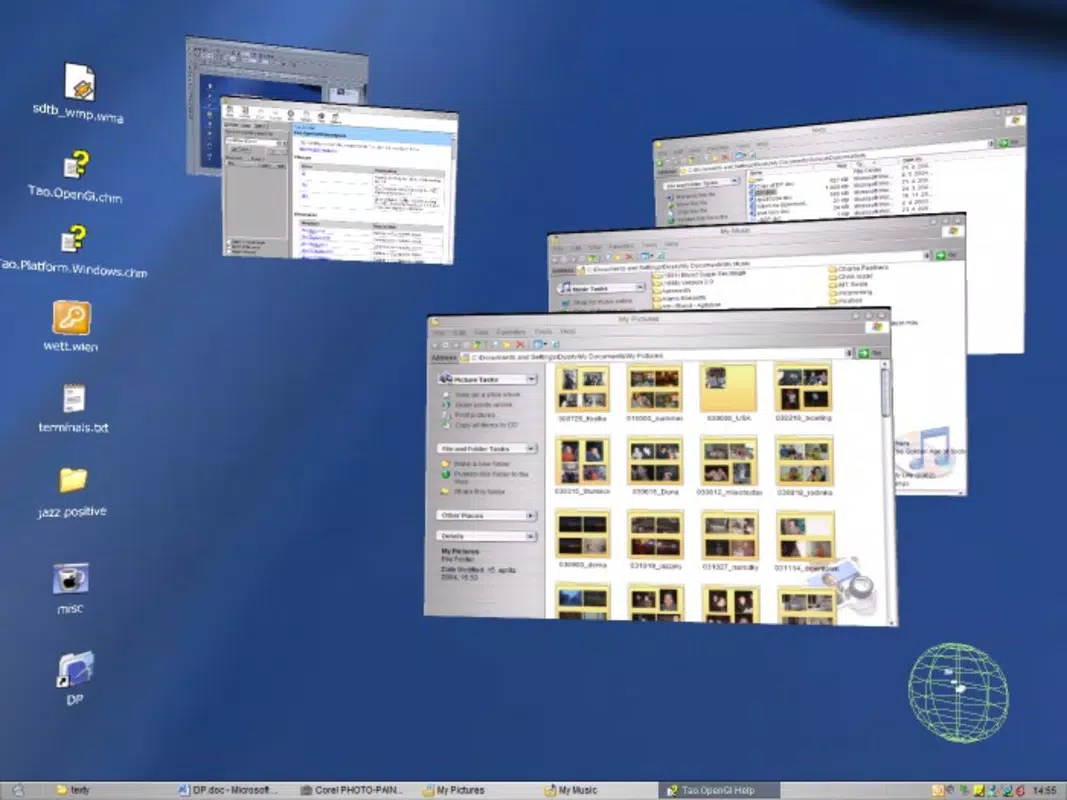
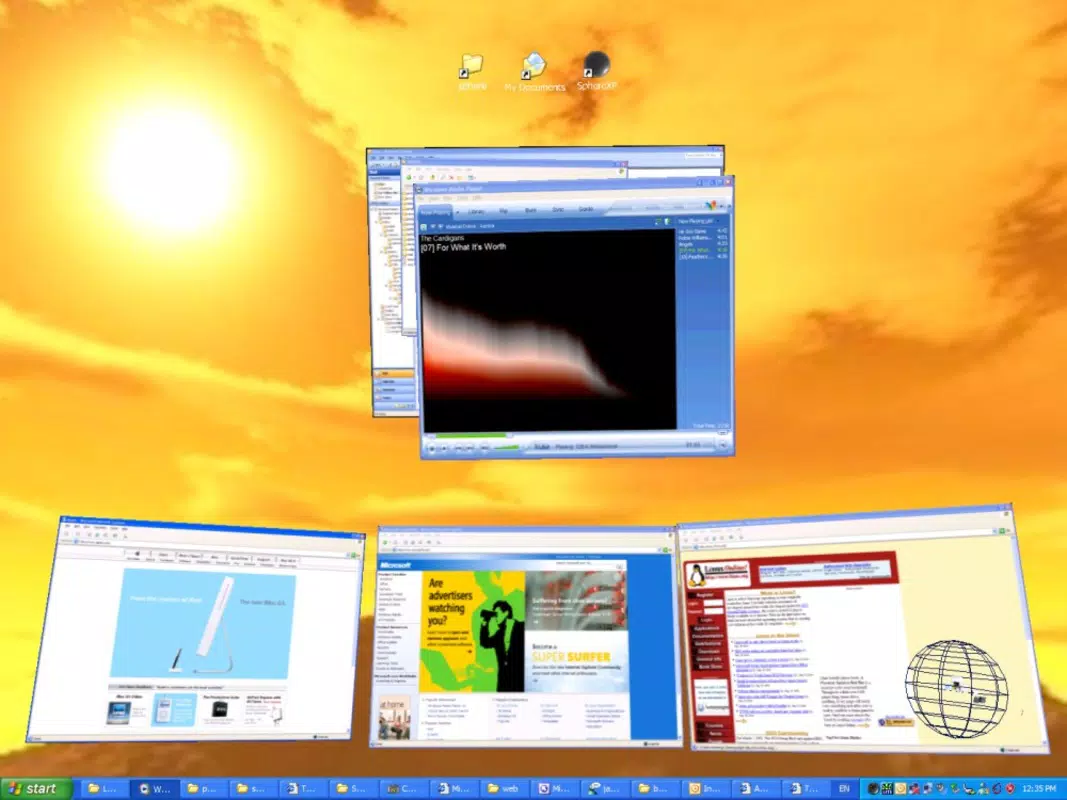
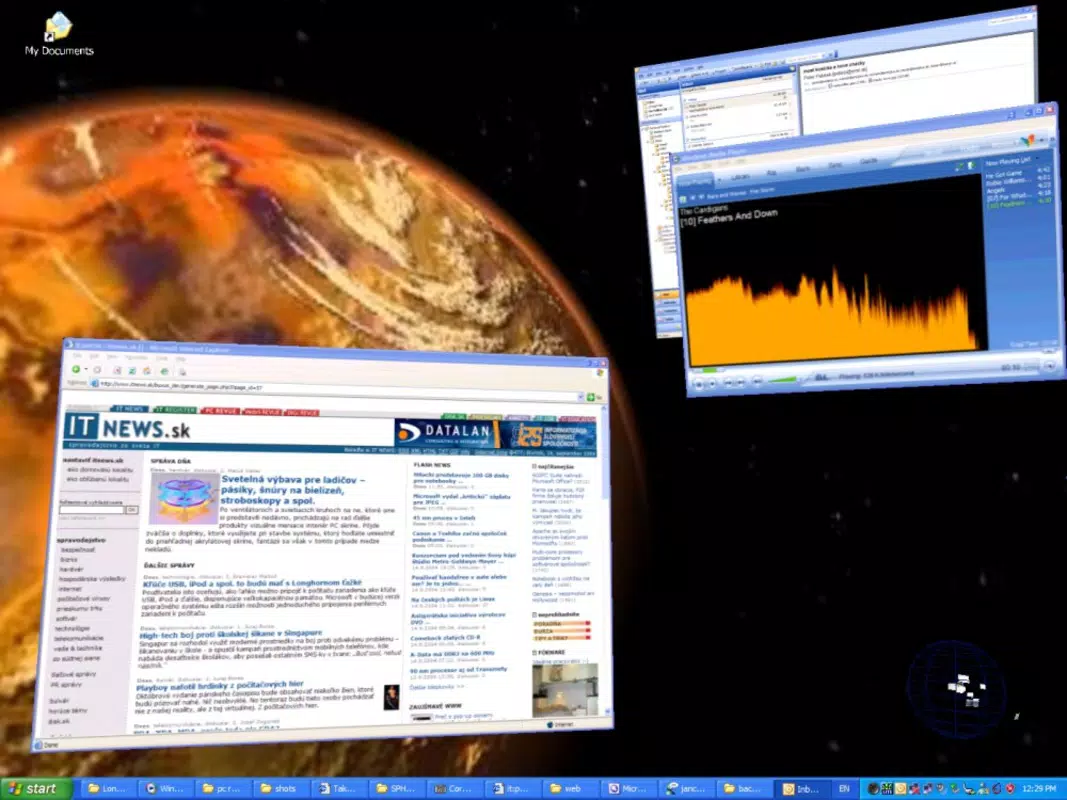
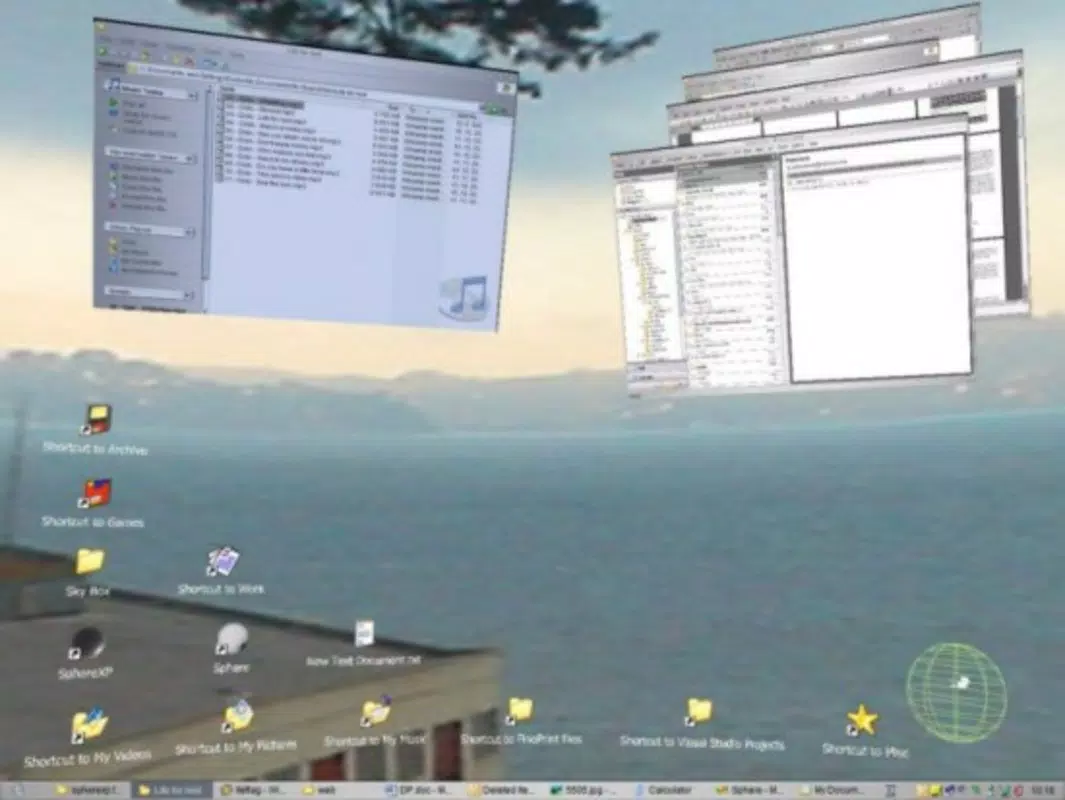
- 3D Desktop Environment: SphereXP replaces the conventional 2D desktop with a three-dimensional space where open applications and files appear as floating windows. This spatial layout enhances visual depth and allows users to perceive the relative position of active programs, improving overall awareness of their digital workspace.
- Organized Window Arrangement: Instead of overlapping windows, SphereXP arranges applications in a structured, non-colliding manner across the 3D space. This reduces visual noise and makes it easier to locate and switch between tasks, especially during complex multitasking sessions.
- Customization Options: Users can personalize the appearance of their 3D desktop, including icon styles, window layouts, and spatial arrangements. This flexibility allows the environment to adapt to individual workflow preferences and aesthetic tastes.
- Intuitive Interface: Despite its innovative design, the interface is built to support ease of navigation. While some traditional desktop behaviors are modified, the app provides visual cues and consistent interaction patterns to support user orientation.
- Immersive Experience: The 3D perspective creates a more engaging and interactive desktop experience, offering a sense of presence and control that goes beyond standard window management tools.
For example, a graphic designer working on multiple projects can position each project’s associated files and tools in distinct zones of the 3D space, enabling quick access without visual confusion. Similarly, a student managing research documents, note-taking apps, and web browsers can organize them spatially to reduce cognitive load. The app’s functionality is not about replacing core operating system features but enhancing how users perceive and interact with their open applications.
Interface, UX & Performance
SphereXP features a visually immersive interface that leverages depth and spatial positioning to improve user interaction. The layout emphasizes clean separation between active windows, reducing overlap and increasing visibility. Navigation is based on spatial movement within the 3D environment, allowing users to “move” around the desktop to access different application clusters.
The interface design appears to prioritize visual clarity and intuitive spatial awareness, though specific details about touch or keyboard controls were not provided. The app’s performance is expected to vary based on system capabilities, particularly GPU performance, as rendering a 3D desktop environment demands more graphical processing than a standard 2D interface. Although the developer did not list formal performance metrics, the 12.5 MB file size suggests a lightweight implementation.
Stability and responsiveness are likely influenced by the underlying Windows OS and hardware configuration. Users on older systems may experience reduced frame rates or input lag, while modern machines should handle the 3D rendering smoothly. The app does not appear to require high-end hardware, but compatibility with various Windows versions was not disclosed.
Platform Compatibility & Technical Requirements
SphereXP is designed for the Windows platform and is available in version 1.0.0. The application has a file size of 12.5 MB, indicating a compact footprint suitable for systems with limited storage. The developer did not specify minimum OS requirements, nor did they list compatibility details for specific Windows versions such as Windows 7, 8, or 10.
As the app was released in 2009, it may function on older Windows systems, but modern versions of Windows could present compatibility challenges due to changes in system architecture and graphics APIs. No information was provided regarding required hardware specifications, such as GPU capabilities or RAM. Users are advised to test the application on their system before full deployment.
The absence of detailed technical requirements means that installation and operation may depend on trial and error, particularly on newer operating systems.
Pros and Cons
- Transforms the desktop into a visually engaging 3D space
- Reduces window clutter and improves multitasking efficiency
- Offers customization options for personalizing the workspace
- Lightweight at 12.5 MB
- Free to download and use
- May require a learning curve due to non-traditional interface
- Compatibility with modern Windows versions is uncertain
- Developer did not provide detailed technical specifications
- Performance may vary based on system hardware
- Limited support for newer input methods or display resolutions
FAQ
Is SphereXP safe to install?
Yes, the app is free and available for download without known security risks. However, as it was released in 2009, users should ensure their system is protected with updated antivirus software before installation.
Can I use SphereXP on Windows 10 or 11?
Compatibility with modern Windows versions is not confirmed by the developer. Users are encouraged to test the application in a virtual environment or on a secondary system to verify functionality.
Does SphereXP require a powerful GPU?
The app has a small file size, suggesting low resource demands. However, 3D rendering may require basic GPU support. No specific hardware requirements were listed.
Is SphereXP updated regularly?
There is no information available about ongoing updates or maintenance. The app has remained at version 1.0.0 since its release in 2009.
Can I customize the 3D desktop layout?
Yes, SphereXP offers customization options for icon styles, window arrangements, and spatial organization, allowing users to tailor the environment to their workflow preferences.
Final Thoughts
SphereXP remains a unique and forward-thinking tool in the realm of desktop productivity, offering a bold reimagining of how users interact with their digital workspace. Its 3D environment provides a compelling alternative to traditional window management, particularly for users who value visual organization and immersive experiences. While the learning curve and uncertain compatibility with modern systems present challenges, the app’s lightweight design and free availability make it accessible for experimentation.
It is best suited for enthusiasts, retro computing hobbyists, and professionals seeking innovative ways to enhance workflow clarity. For those interested in exploring alternative interface paradigms, SphereXP delivers a distinctive value proposition. Download SphereXP now.


